/** * Apply opacity to a color using `color-mix`. */export function withAlpha(value: string, alpha: string): string { if (alpha === null) return value // Convert numeric values (like `0.5`) to percentages (like `50%`) so they // work properly with `color-mix`. Assume anything that isn't a number is // safe to pass through as-is, like `var(--my-opacity)`. let alphaAsNumber = Number(alpha) if (!Number.isNaN(alphaAsNumber)) { alpha = `${alphaAsNumber * 100}%` } // If the alpha value is a percentage, we can pass it directly to // `color-mix()`. In any other case, e.g.: `var(…)`, `round(…)`, … we need to // make sure it's a percentage. else if (alpha[alpha.length - 1] !== '%') { alpha = `calc(${alpha} * 100%)` } return `color-mix(in srgb, ${value} ${alpha}, transparent)`}
The beauty about this utility function is that it comes with comments explaining what the code does.
// Convert numeric values (like `0.5`) to percentages (like `50%`) so they// work properly with `color-mix`. Assume anything that isn't a number is// safe to pass through as-is, like `var(--my-opacity)`.let alphaAsNumber = Number(alpha)if (!Number.isNaN(alphaAsNumber)) { alpha = `${alphaAsNumber * 100}%`}
First the alpha is converted to Number, withAlpha accepts alpha as a string and is assigned to a variable named alphaAsNumber
if alphaAsNumber is not a number, then this is converted to % by multiplying it with * 100.
// If the alpha value is a percentage, we can pass it directly to// `color-mix()`. In any other case, e.g.: `var(…)`, `round(…)`, … we need to// make sure it's a percentage.else if (alpha[alpha.length - 1] !== '%') { alpha = `calc(${alpha} * 100%)`}
The way this above code snippet ensures that alpha value is a percentage is by checking if the item at last index is ‘%’, otherwise, it is multiplied with *100%.
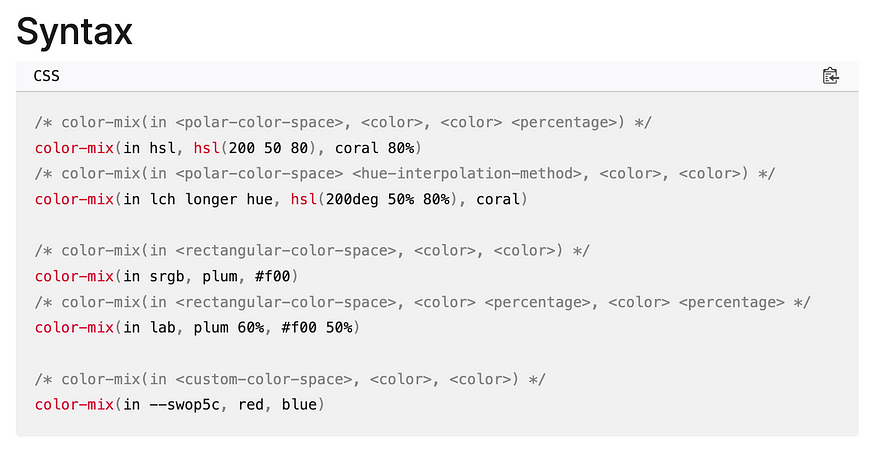
The color-mix() functional notation takes two <color> values and returns the result of mixing them in a given colorspace by a given amount. — MDN documentation.
Hey, my name is Ramu Narasinga. I study large open-source projects and create content about their codebase architecture and best practices, sharing it through articles, videos.