In our previous article, we discussed Dexie, a wrapper for IndexedDB. In this article, we discuss IndexedDB. You must be familiar with this localStorage API, commonly used to store info in the browser. Similarly, IndexedDB is used for client side storage.
MDN documentation explaination:
IndexedDB is a low-level API for client-side storage of significant amounts of structured data, including files/blobs. This API uses indexes to enable high-performance searches of this data. While Web Storage is useful for storing smaller amounts of data, it is less useful for storing larger amounts of structured data.
IndexedDB provides a solution. This is the main landing page for MDN’s IndexedDB coverage — here we provide links to the full API reference and usage guides, browser support details, and some explanation of key concepts.
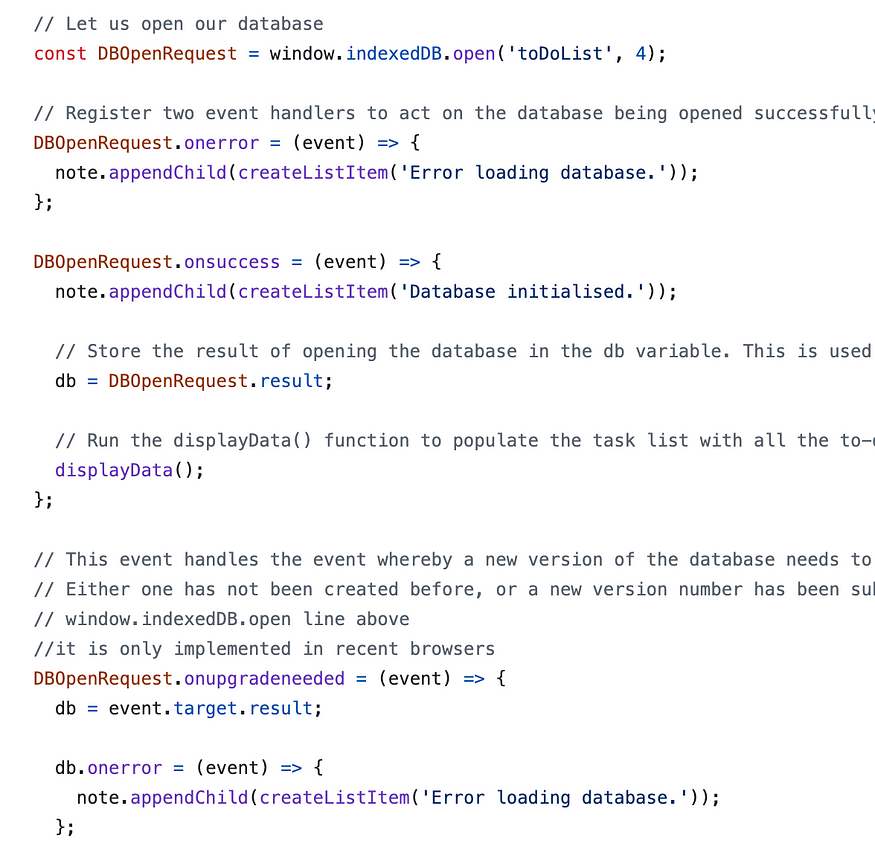
// Register two event handlers to act on the database being opened successfully, or notDBOpenRequest.onerror = (event) => { note.appendChild(createListItem('Error loading database.'));};
DBOpenRequest.onsuccess = (event) => { note.appendChild(createListItem('Database initialised.'));// Store the result of opening the database in the db variable. This is used a lot below db = DBOpenRequest.result;// Run the displayData() function to populate the task list with all the to-do list data already in the IndexedDB displayData();};
// Open a read/write DB transaction, ready for adding the dataconst transaction = db.transaction(['toDoList'], 'readwrite');// Call an object store that's already been added to the databaseconst objectStore = transaction.objectStore('toDoList');// Make a request to add our newItem object to the object storeconst objectStoreRequest = objectStore.add(newItem[0]);objectStoreRequest.onsuccess = (event) => { // process data on success.}// Report on the success of the transaction completing, when everything is donetransaction.oncomplete = () => { note.appendChild(createListItem('Transaction completed: database modification finished.'));// Update the display of data to show the newly added item, by running displayData() again. displayData();};// Handler for any unexpected errortransaction.onerror = () => { note.appendChild(createListItem(`Transaction not opened due to error: ${transaction.error}`));};
You might have by now realize that there is a lot of code required just to add a record, you have asynchronous callbacks such as onerror and onsuccess. This is pointed in this stack exchange answer.
To simplify handling this IndexedDB, Dexie can be used.
Hey, my name is Ramu Narasinga. I study large open-source projects and create content about their codebase architecture and best practices, sharing it through articles, videos.