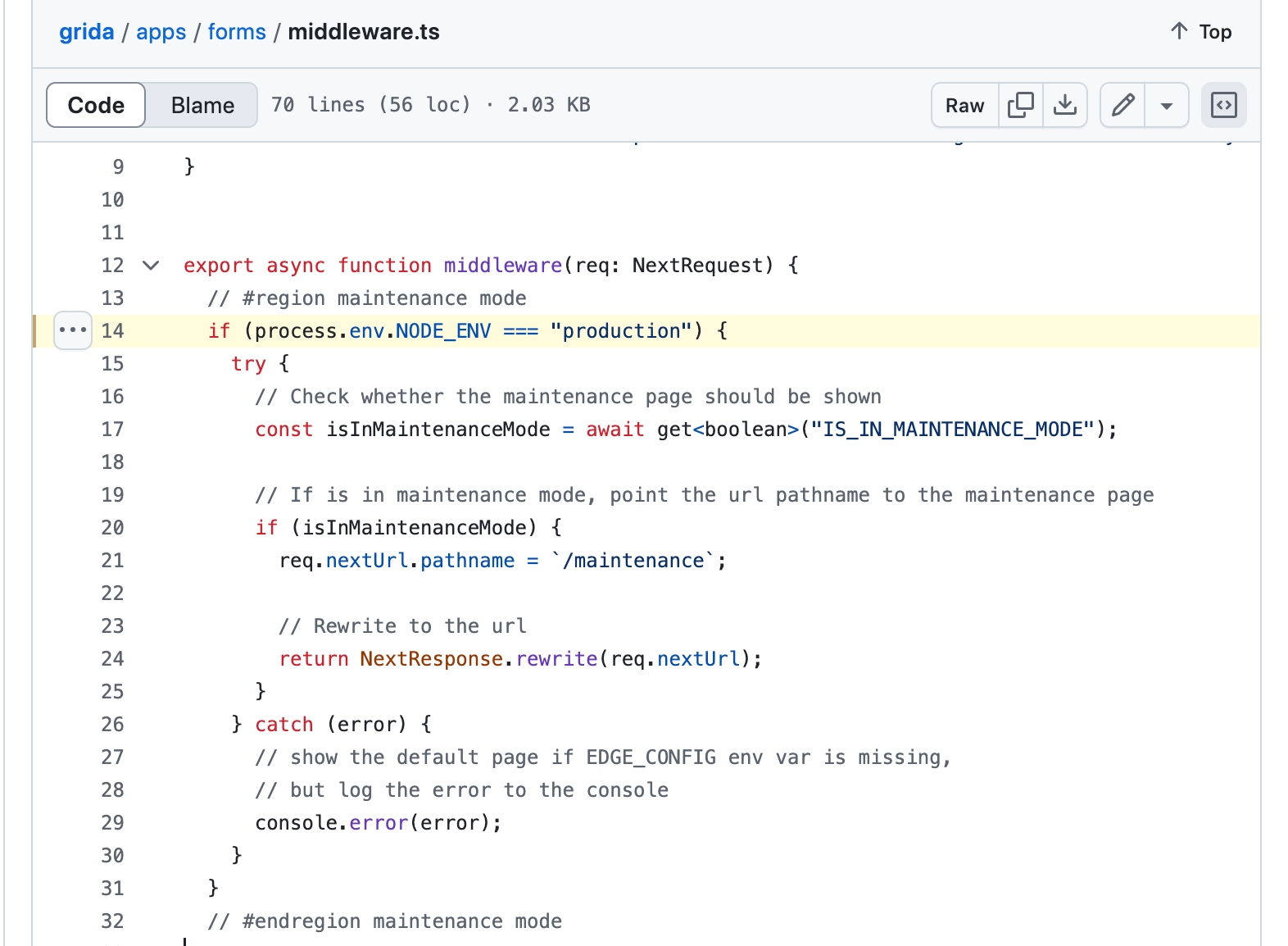
In this article, we review the code related to maintenance mode check in Grida source code, but first we need to understand what a maintenance mode is in Vercel.
When we do a release, promotion, event, etc. that might bring more attention than usual to a page;
Its a good idea to have a backup plan that includes showing a different page to the users in case something fails. If this page receives a lot of traffic, we can use the edge, a previously generated static page and Edge Config to give the users dynamic at the speed of static.
You would use Maintenance Page when you want to change the flow of the traffic quickly in case something fails, but how to do it?
import { NextRequest, NextResponse } from 'next/server'import { get } from '@vercel/edge-config'export const config = { matcher: '/big-promo',}export async function middleware(req: NextRequest) { // Check Edge Config to see if the maintenance page should be shown const isInMaintenanceMode = await get('isInMaintenanceMode') // If in maintenance mode, point the url pathname to the maintenance page if (isInMaintenanceMode) { req.nextUrl.pathname = `/maintenance` // Rewrite to the url return NextResponse.rewrite(req.nextUrl) }}
Here the most important check is about maintenance mode
// Check Edge Config to see if the maintenance page should be shownconst isInMaintenanceMode = await get('isInMaintenanceMode')
Then if your project is in maintenance mode, you would do something like below, to show the maintenance page:
// If in maintenance mode, point the url pathname to the maintenance pageif (isInMaintenanceMode) { req.nextUrl.pathname = `/maintenance` // Rewrite to the url return NextResponse.rewrite(req.nextUrl)}
Some suggestions involve using redirects in next.config.ts depending on an enviroment variable called MAINTENANCE_MODE but what folows that is a conversation about how this be indexed by Google and for that reason, comment suggests to add <meta name=”robots” content=”noindex” />
export async function middleware(req: NextRequest) {
  // #region maintenance mode
  if (process.env.NODE_ENV === "production") {
    try {
      // Check whether the maintenance page should be shown
      const isInMaintenanceMode = await get<boolean>("IS_IN_MAINTENANCE_MODE");

      // If is in maintenance mode, point the url pathname to the maintenance page
      if (isInMaintenanceMode) {
        req.nextUrl.pathname = `/maintenance`;

        // Rewrite to the url
        return NextResponse.rewrite(req.nextUrl);
      }
    } catch (error) {
      // show the default page if EDGE_CONFIG env var is missing,
      // but log the error to the console
      console.error(error);
    }
  }
  // #endregion maintenance mode
This code handles the maintenance mode exactly as what is provided in the Vercel’s example, but there are slight differences:
Try/catch block
process.env.NODE_ENV check
This defensive mechanism is important to handle any unexpected errors and that to apply the maintenance mode only in production.
Hey, my name is Ramu Narasinga. I study large open-source projects and create content about their codebase architecture and best practices, sharing it through articles, videos.