Renovate is an automated dependency update tool. It helps to update dependencies in your code without needing to do it manually. When Renovate runs on your repo, it looks for references to dependencies (both public and private) and, if there are newer versions available, Renovate
can create pull requests to update your versions automatically.
This documentation is massive, let’s use the Lobechat’s renovate configuration as a reference and compare it against the documentation, but before that let’s understand how to install renovate in a project.
Based on this installing and onboarding documentation, you would first need to install the Renovate App and this creates a PR to your main branch from a branch named renovate/configure.
I tried to find such a branch name in Lobechat and Unbuild, but could not find it. I have added this tool into my best-practices, collection and will prepare a course where I will discuss this tool in great detail by configuring it a demo project because this setup is not straightforward and documentation itself tells you take your time to read the documentation and make sure you understand renovate enough before you can start using this tool.
As part of installation, there is a configuration location section in the documentation and this explains that as part of configure renovate PR, this PR includes renovate.json file in the root directory with some default settings.
If you don’t want a renovate.json file in your repository you can use one of the following files instead:
renovate.json5
.github/renovate.json
.github/renovate.json5
.gitlab/renovate.json
.gitlab/renovate.json5
.renovaterc
.renovaterc.json
.renovaterc.json5
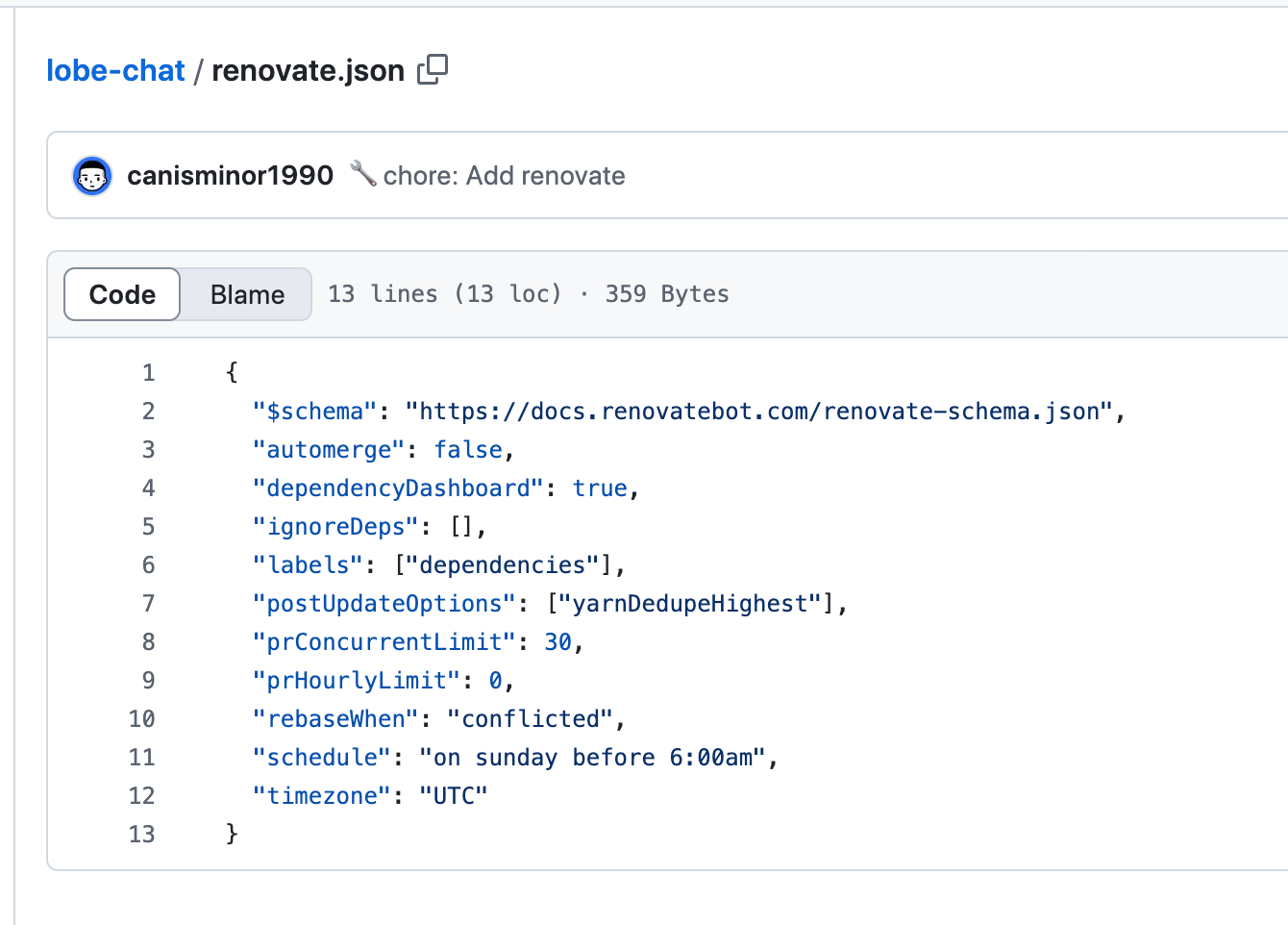
Now that we understand how renovate.json file is created and what it is about, let’s review the renovate.json in Lobechat and then the renovate.json in unbuild.
Whether to automerge branches/PRs automatically, without human intervention. Lobechat set this to false, which means there
will be human intervention to merge PR created by renovate.
Enable post-update options to be run after package/artifact updating. Lobechat has this set to [“yarnDedupeHighest”],. Not really sure what it means though. I found what it means in the docs and I quoted it below
yarnDedupeHighest — Run yarn-deduplicate — strategy highest (yarn dedupe — strategy highest for Yarn >=2.2.0) after yarn.lock updates.
But Lobechat uses pnpm as their package manager, still not sure why this option does.
This setting — if enabled — limits Renovate to a maximum of x concurrent PRs open at any time. This limit is enforced on a per-repository basis. Lobechat has this set to 30. This means there cannot be more than 30 PRs from renovate open in this Lobechat repository.
Rate limit PRs to maximum x created per hour. 0 means no limit. Lobechat has this set to 0, which means there is no limit to the number of PRs created per hour. Docs suggests that it can be overwhelming on your CI and the tests run, pretty bold move from Lobechat authors.
Limit branch creation to these times of day or week. Lobechat has this set to on sunday before 6:00am and I double checked this by searching for renovate in open PRs.
Turns out, Lobechat has the renovate PRs created only on sunday between 12am — 6am. Interesting. So you would begin your week with some PRs to be merged, that is if you don’t work on Sundays. (*wink*)
Must conform to IANA Time Zone format. This can only be used when you have schedule set and that you want Renovate to evaluate the schedule in your timezone.
Hey, my name is Ramu Narasinga. I study large open-source projects and create content about their codebase architecture and best practices, sharing it through articles, videos.