shadcn-ui/ui codebase analysis-How does shadcn-ui CLI work? — Part 3.1
I wanted to find out how shadcn-ui CLI works. In this article, I discuss the code used to build the shadcn-ui/ui CLI.
In part 3.0, I discussed how npx shadcn-ui add <component> command is registered. We will look at few more lines of code from packages/cli/src/commands/add.ts.
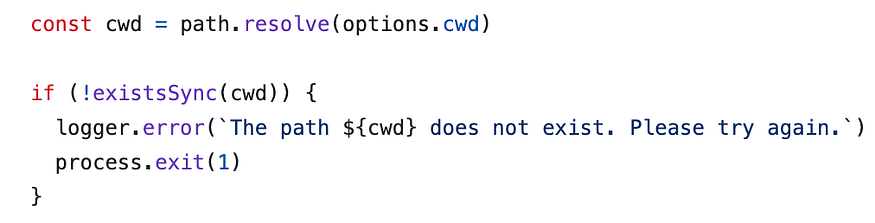
const cwd = path.resolve(options.cwd)if (!existsSync(cwd)) { logger.error(`The path ${cwd} does not exist. Please try again.`) process.exit(1)}const config = await getConfig(cwd)if (!config) { logger.warn( `Configuration is missing. Please run ${chalk.green( `init` )} to create a components.json file.` ) process.exit(1)}const registryIndex = await getRegistryIndex()
const config = await getConfig(cwd)if (!config) { logger.warn( `Configuration is missing. Please run ${chalk.green( `init` )} to create a components.json file.` ) process.exit(1)}
getConfig is imported from a different file named get-config. Reason behind this could be that context matters when it comes where you place your function. For example, logically, a function named getConfig can never be placed in a file named get-project-info.
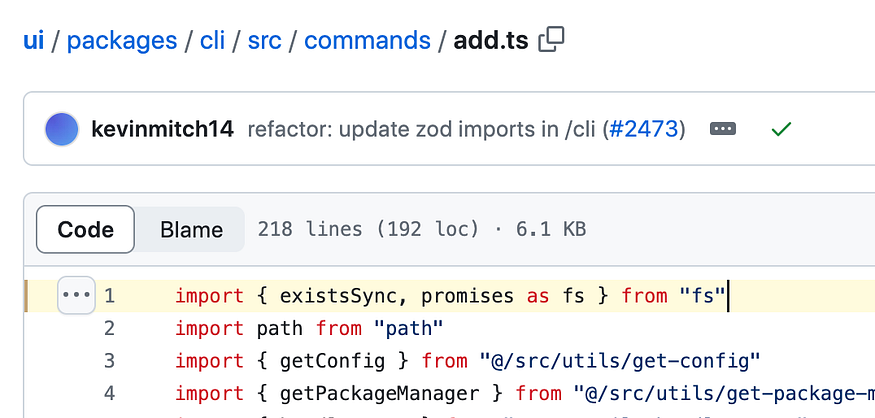
Once the options and the argument passed to add command in shadcn-ui CLI, In the action, there is a lot of code, about 218 lines in add.ts. I picked a few lines of code that followed part 3.0 explanation and discussed about
Check if the cwd exists.
This code checks the current directory exists and logs an error if it doesn’t.
existsSync is imported from “fs” at the top of add.ts file.
2. getConfig function.
getConfig is imported from a different file named get-config. Reason behind this could be that context matters when it comes where you place your function. For example, logically, a function named getConfig can never be placed in a file named get-project-info.
I explained in great detail how getConfig works in the article Part 2.2
Hey, my name is Ramu Narasinga. I study large open-source projects and create content about their codebase architecture and best practices, sharing it through articles, videos.