
Data fetching in '/apps' route in open source ACI.dev platform.
In this article, we are going to review API layer in /apps route in ACI.dev platform. We will look at:
-
Locating the /apps route
-
apps folder
-
API layer in apps/page.tsx
This /apps route loads a page that looks like below:
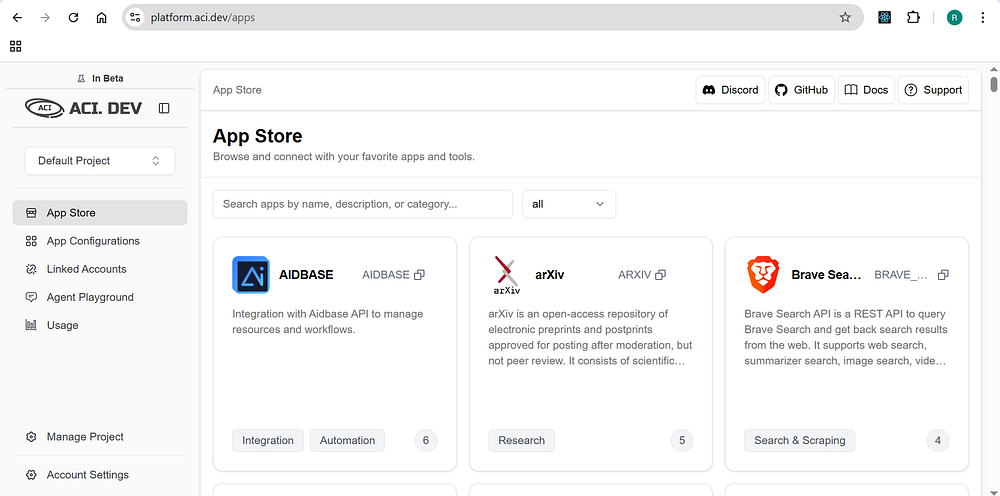
ACI.dev is the open source platform that connects your AI agents to 600+ tool integrations with multi-tenant auth, granular permissions, and access through direct function calling or a unified MCP server.
Locating the /apps route
ACI.dev is open source, you can find their code at aipotheosis-labs/aci. This codebase has the below project structure:
-
apps
-
backend
-
frontend
frontend
ACI.dev is built using Next.js, I usually confirm this by looking for next.config.ts at the root of the frontend folder.
And there is a src folder and app folder inside this src folder. This means this project is built using app router.
From here on, it makes it super easy to locate /apps route since this is going to be a folder, according to how app router works in Next.js
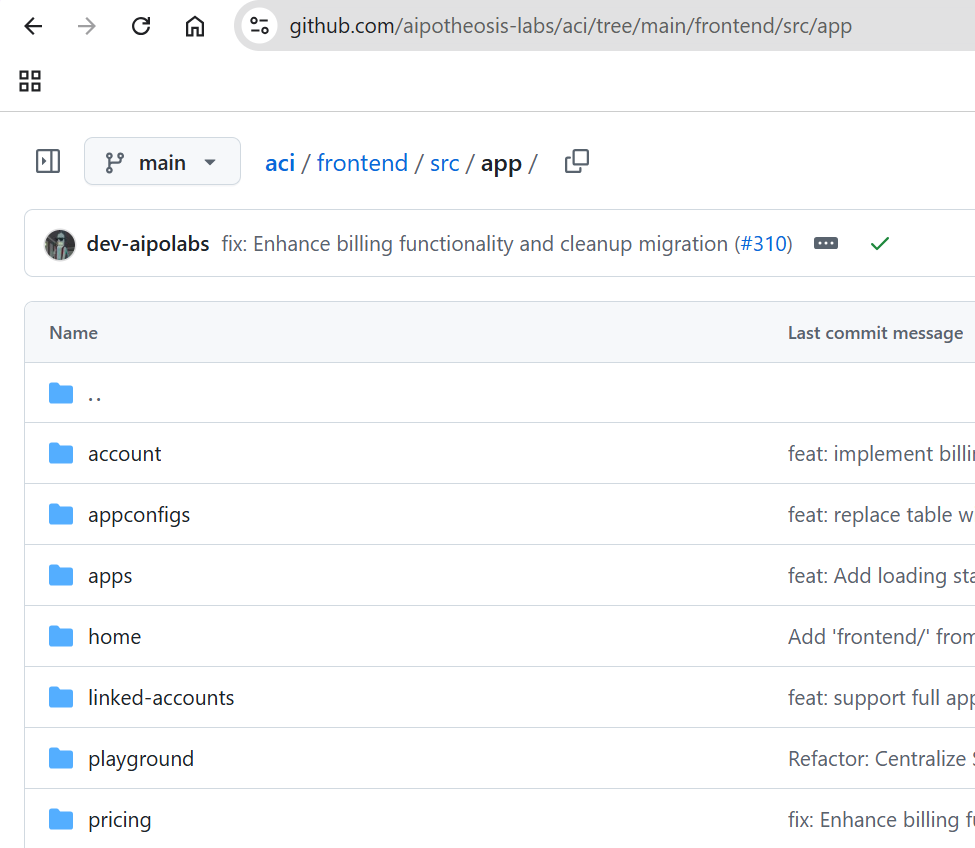
You will find the apps folder in the above image.

apps folder
apps folder has the below structure:
API layer in apps/page.tsx
In the apps/page.tsx, you will find the below code snippet that fetches the data.
// TODO: implement pagination once we have a lot of apps
useEffect(() => {
  async function loadApps() {
    setLoading(true);
    try {
      const apiKey = getApiKey(activeProject);
      const apps = await getAllApps(apiKey);

      setApps(apps);
    } catch (error) {
      console.error("Error fetching apps:", error);
    } finally {
      setLoading(false);
    }
  }
  loadApps();
}, [activeProject]);
loadApps
async function loadApps() {
    setLoading(true);
    try {
      const apiKey = getApiKey(activeProject);
      const apps = await getAllApps(apiKey);

      setApps(apps);
    } catch (error) {
      console.error("Error fetching apps:", error);
    } finally {
      setLoading(false);
    }
  }
loadApps sets loading to true and makes a call to getApiKey and uses that apiKey as a param in getAllApps and apps state variable is updated. BTW, this /apps/page.tsx is client component as it has “use client” at the top of the file.
getApiKey
getApiKey is imported as shown below:
import { getApiKey } from "@/lib/api/util";
and has the below code picked from lib/api/util.ts
export async function getAllApps(apiKey: string): Promise<App[]> {
  const response = await fetch(`${process.env.NEXT_PUBLIC_API_URL}/v1/apps`, {
    method: "GET",
    headers: {
      "X-API-KEY": apiKey,
    },
  });

  if (!response.ok) {
    throw new Error(
      `Failed to fetch app: ${response.status} ${response.statusText}`,
    );
  }

  const apps = await response.json();
  return apps;
}
They use a simple fetch to get the API key? interesting.
getAllApps
getApiKey is imported as shown below:
import { getAllApps } from "@/lib/api/app";
and has the below code picked from lib/api/util.ts
export async function getAllApps(apiKey: string): Promise<App[]> {
  const response = await fetch(`${process.env.NEXT_PUBLIC_API_URL}/v1/apps`, {
    method: "GET",
    headers: {
      "X-API-KEY": apiKey,
    },
  });

  if (!response.ok) {
    throw new Error(
      `Failed to fetch app: ${response.status} ${response.statusText}`,
    );
  }

  const apps = await response.json();
  return apps;
}
Here also they use a simple fetch.
About me:
Hey, my name is Ramu Narasinga. Email: ramu.narasinga@gmail.com
Tired of AI-generated code that works but nobody understands?
I spent 3+ years studying OSS codebases and wrote 350+ articles on what makes them production-grade. I built an open source tool that reviews your PR against your existing codebase patterns.
Your codebase. Your patterns. Enforced.