Invite-Only Early Access — Think Throo GitHub App is currently invite-only. Request access here.
2025May

Components structure in '/apps/[appName]' route in open source ACI.dev platform.

In this article, we are going to review components structure in /apps/GITHUB route in ACI.dev platform. We will look at:

  1. Locating the /apps/GITHUB route

  2. apps/GITHUB folder

  3. Components structure in apps/GITHUB/page.tsx

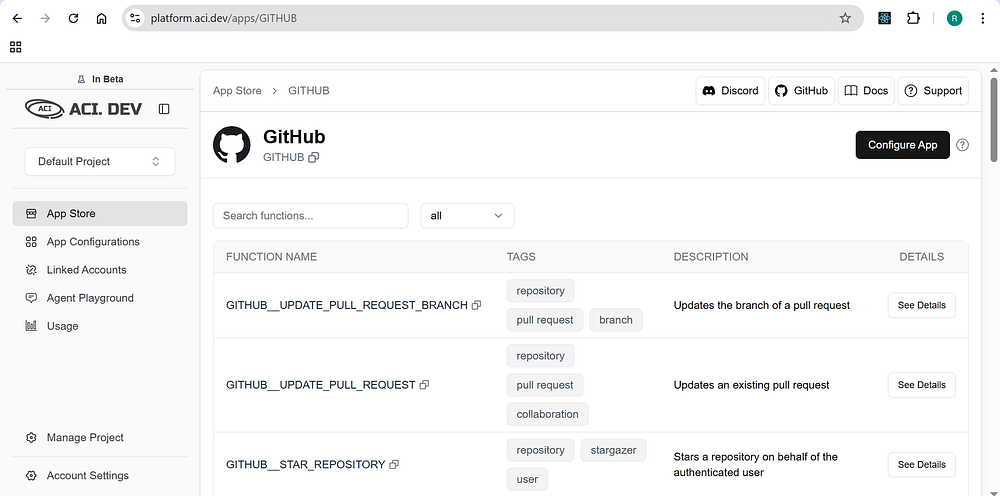
This /apps/GITHUB route loads a page that looks like below:

ACI.dev is the open source platform that connects your AI agents to 600+ tool integrations with multi-tenant auth, granular permissions, and access through direct function calling or a unified MCP server.

Locating the /apps/GITHUB route

ACI.dev is open source, you can find their code at aipotheosis-labs/aci. This codebase has the below project structure:

  1. apps

  2. backend

  3. frontend

frontend

ACI.dev is built using Next.js, I usually confirm this by looking for next.config.ts at the root of the frontend folder.

And there is a src folder and app folder inside this src folder. This means this project is built using app router.

From here on, it makes it super easy to locate /apps/GITHUB route since this is going to be a folder, according to how app router works in Next.js

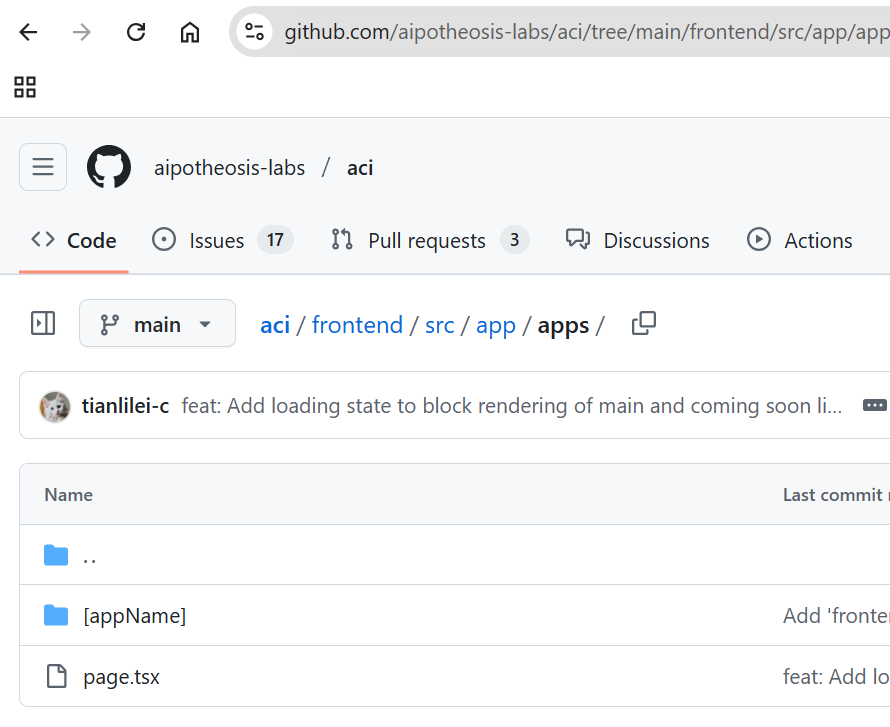
You will find the apps/[appName] folder in the above image. [appName] here indicates that this is dynamic route. There won’t be any GITHUB folder, instead this is a param accessible in apps/[appName]/page.tsx

apps/[appName] folder

apps folder has the below structure:

  1. page.tsx- file

It contains only 1 file, page.tsx.

Components structure in apps/page.tsx

Below is the code picked from aci.dev/frontend/…/apps/[appName]/page.tsx:

<div>
      <div className="m-4 flex items-center justify-between">
        <div>
          {app && (
            <div className="flex items-center gap-4">
              <div className="relative h-12 w-12 flex-shrink-0 overflow-hidden rounded-lg">
                <Image
                  src={app?.logo ?? ""}
                  alt={`${app?.display_name} logo`}
                  fill
                  className="object-contain"
                />
              </div>
              <div>
                <h1 className="text-2xl font-bold">{app.display_name}</h1>
                <IdDisplay id={app.name} />
              </div>
            </div>
          )}
        </div>
        <div className="flex items-center gap-2">
          {app && (
            <ConfigureAppPopup
              name={app.name}
              security_schemes={app.security_schemes}
              configureApp={configureApp}
            >
              <Button
                className="bg-primary text-white hover:bg-primary/90"
                disabled={appConfig !== null}
              >
                {appConfig ? "Configured" : "Configure App"}
              </Button>
            </ConfigureAppPopup>
          )}
          <Tooltip>
            <TooltipTrigger asChild>
              <span className="cursor-pointer">
                <BsQuestionCircle className="h-4 w-4 text-muted-foreground" />
              </span>
            </TooltipTrigger>
            <TooltipContent side="top">
              <p className="text-xs">
                {appConfig
                  ? "The app has already been configured. It is ready for your agents to use."
                  : "Click to configure the application. This will add the application to your project, allowing your agents to use it."}
              </p>
            </TooltipContent>
          </Tooltip>
        </div>
      </div>
      <Separator />
 
      <div className="m-4">
        <EnhancedDataTable
          columns={columns}
          data={functions}
          searchBarProps={{ placeholder: "Search functions..." }}
        />
      </div>
    </div>

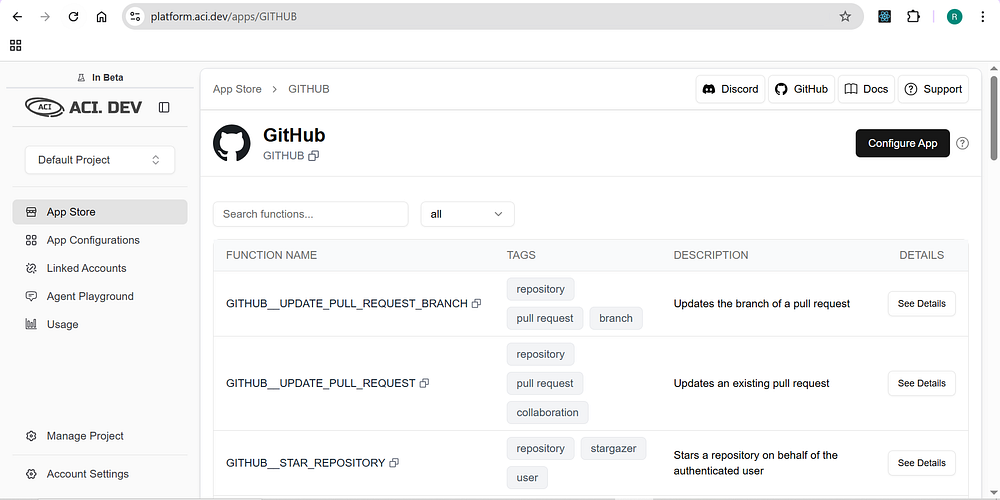
But when you view at /apps/GITHUB route, it looks like below:

This means the sidebar and the header are defined in layout.tsx somewhere.

Tooltip, Button, Separator and Button are imported from components/ui, these are Shadcn/ui components.

import { Separator } from "@/components/ui/separator";
import { Button } from "@/components/ui/button";

ConfigureAppPop is imported as shown below:

import { ConfigureAppPopup } from "@/components/apps/configure-app-popup";

Again, you will find this inside components/apps folder since we are reviewing components inside /apps route, they have logically placed them inside apps folder.

About me:

Hey, my name is Ramu Narasinga. Email: ramu.narasinga@gmail.com

Tired of AI-generated code that works but nobody understands?

I spent 3+ years studying OSS codebases and wrote 350+ articles on what makes them production-grade. I built an open source tool that reviews your PR against your existing codebase patterns.

Your codebase. Your patterns. Enforced.

Get started for free —thinkthroo.com

References:

  1. https://platform.aci.dev/apps/GITHUB

  2. https://github.com/aipotheosis-labs/aci/blob/main/frontend/src/app/apps/%5BappName%5D/page.tsx