Blog
Scan for CLI flags and arguments using MRI package

Scan for CLI flags and arguments using MRI package

In this article, an overview of MRI package is provided with a usage example picked from Changesets source code.

MRI package:

You can use MRI package to quickly scan for flags and arguments. It is an alternative to yargs-parser.

Install

npm install - save mri

Usage

// Example CLI with options 
$ demo-cli - foo - bar=baz -mtv - hello world

The following code is picked from MRI npm package documentation.

const mri = require('mri');
const argv = process.argv.slice(2);
mri(argv);
//=> { _: ['hello', 'world'], foo:true, bar:'baz', m:true, t:true, v:true }
mri(argv, { boolean:['bar'] });
//=> { _: ['baz', 'hello', 'world'], foo:true, bar:true, m:true, t:true, v:true }
mri(argv, {
 alias: {
 b: 'bar',
 foo: ['f', 'fuz']
 }
});
//=> { _: ['hello', 'world'], foo:true, f:true, fuz:true, b:'baz', bar:'baz', m:true, t:true, v:true }

Read more about the options:

In essence, we get the CLI args converted into an object. Now that we understand the basics of MRI, it is time we look at its usage in Changesets.

MRI usage in Changesets:

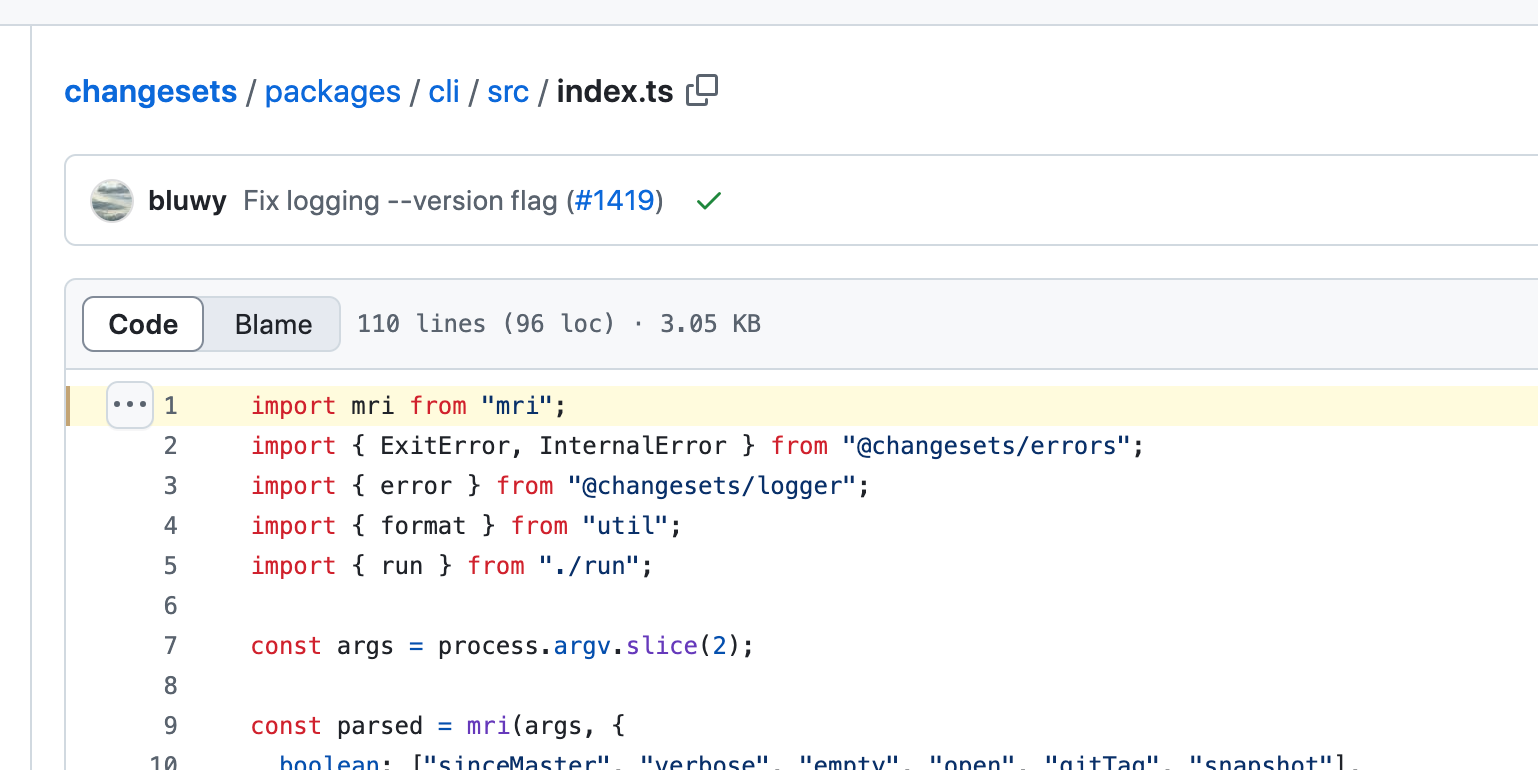
MRI is found to be imported in Changesets CLI package

When you add a changeset using the command npx changeset add or npx changeset, these are accessed in the CLI package as shown below.

const args = process.argv.slice(2);

Parsing CLI args in changeset

The below code shows how mri used in Changeset CLI package

const parsed = mri(args, {
 boolean: ["sinceMaster", "verbose", "empty", "open", "gitTag", "snapshot"],
 string: [
 "output",
 "otp",
 "since",
 "ignore",
 "tag",
 "snapshot",
 "snapshotPrereleaseTemplate",
 ],
 alias: {
 // Short flags
 v: "verbose",
 o: "output",
 // Support kebab-case flags
 "since-master": "sinceMaster",
 "git-tag": "gitTag",
 "snapshot-prerelease-template": "snapshotPrereleaseTemplate",
 // Deprecated flags
 "update-changelog": "updateChangelog",
 "is-public": "isPublic",
 "skip-c-i": "skipCI",
 },
 default: {
 gitTag: true,
 },
});

parsed value will look like below, I deduced this based on the documentation:

{
 // string value (if you have used 'add' in npx changeset add)
 ['add'],
// boolean values
 "sinceMaster": true, 
 "verbose": true, 
 "empty": true, 
 "open": true, 
 "gitTag": true, 
 "snapshot": true
// string values
 // Note: if you have passed these options in your CLI, these keys will be parsed as string, no matter the what you pass in
 // example: if you pass in - otp=123, 123 here, even though is a number, gets parsed as string since otp is configured to be parsed as
 // string in the above code
 "output",
 "otp",
 "since",
 "ignore",
 "tag",
 "snapshot",
 "snapshotPrereleaseTemplate",
// The alias option in mri allows you to define alternative names (aliases) for CLI arguments.
 // This is particularly useful for supporting:
// Short flags: Such as -v for - verbose.
 // Kebab-case flags: Allowing flags like - since-master to map to camelCase variables in JavaScript (e.g., sinceMaster).
 // Deprecated flags: If you want to support older names for backward compatibility but still map them to the current property names.
}

parsed variable is used in a function named run imported from /run.ts

// run function call
run(parsed._, parsed, cwd).catch((err)

The first parameter is pared._ because in the documentation, it is provided that parsed commands like ‘add’ looks like { _: [‘add’]}

// run function definition
export async function run(
 input: string[],
 flags: { [name: string]: any },
 cwd: string
) {

parsed contains mri parsed object based on the CLI args and the configuration set for booleans, strings, defaults, aliases.

cwd is a current working directory, you can get this with process.cwd()

About me:

Hey, my name is Ramu Narasinga. I study large open-source projects and create content about their codebase architecture and best practices, sharing it through articles, videos.

I am open to work on interesting projects. Send me an email at ramu.narasinga@gmail.com

My Github — https://github.com/ramu-narasinga

My website — https://ramunarasinga.com

My Youtube channel — https://www.youtube.com/@thinkthroo

Learning platform — https://thinkthroo.com

Codebase Architecture — https://app.thinkthroo.com/architecture

Best practices — https://app.thinkthroo.com/best-practices

Production-grade projects — https://app.thinkthroo.com/production-grade-projects

References:

  1. https://www.npmjs.com/package/mri

  2. https://github.com/changesets/changesets/blob/main/packages/cli/src/index.ts#L1C18-L1C21

  3. https://github.com/changesets/changesets/blob/main/packages/cli/src/index.ts#L9

We use cookies
We use cookies to ensure you get the best experience on our website. For more information on how we use cookies, please see our cookie policy.

By clicking "Accept", you agree to our use of cookies.

Learn more
