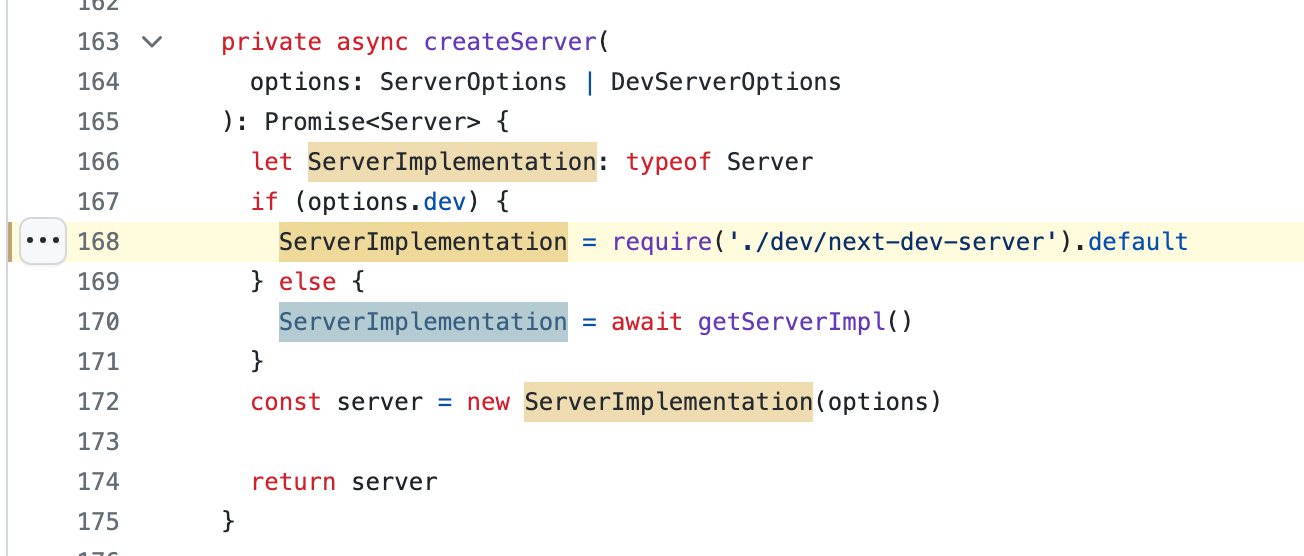
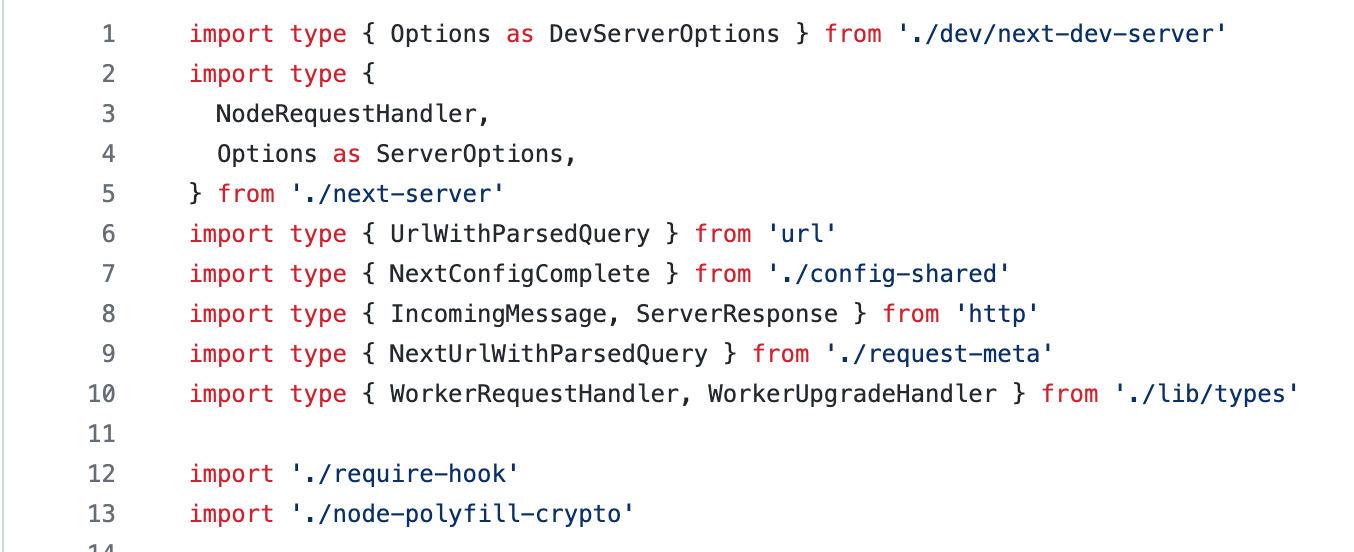
Yes, you can. Here is the proof from next.js source code. I found some articles to stick to either import or require. I have something similar in Docusaurus source code as well.
I found it fascinating that “require” is used in the code, not at the top. We all usually do the import/require at the top of file.
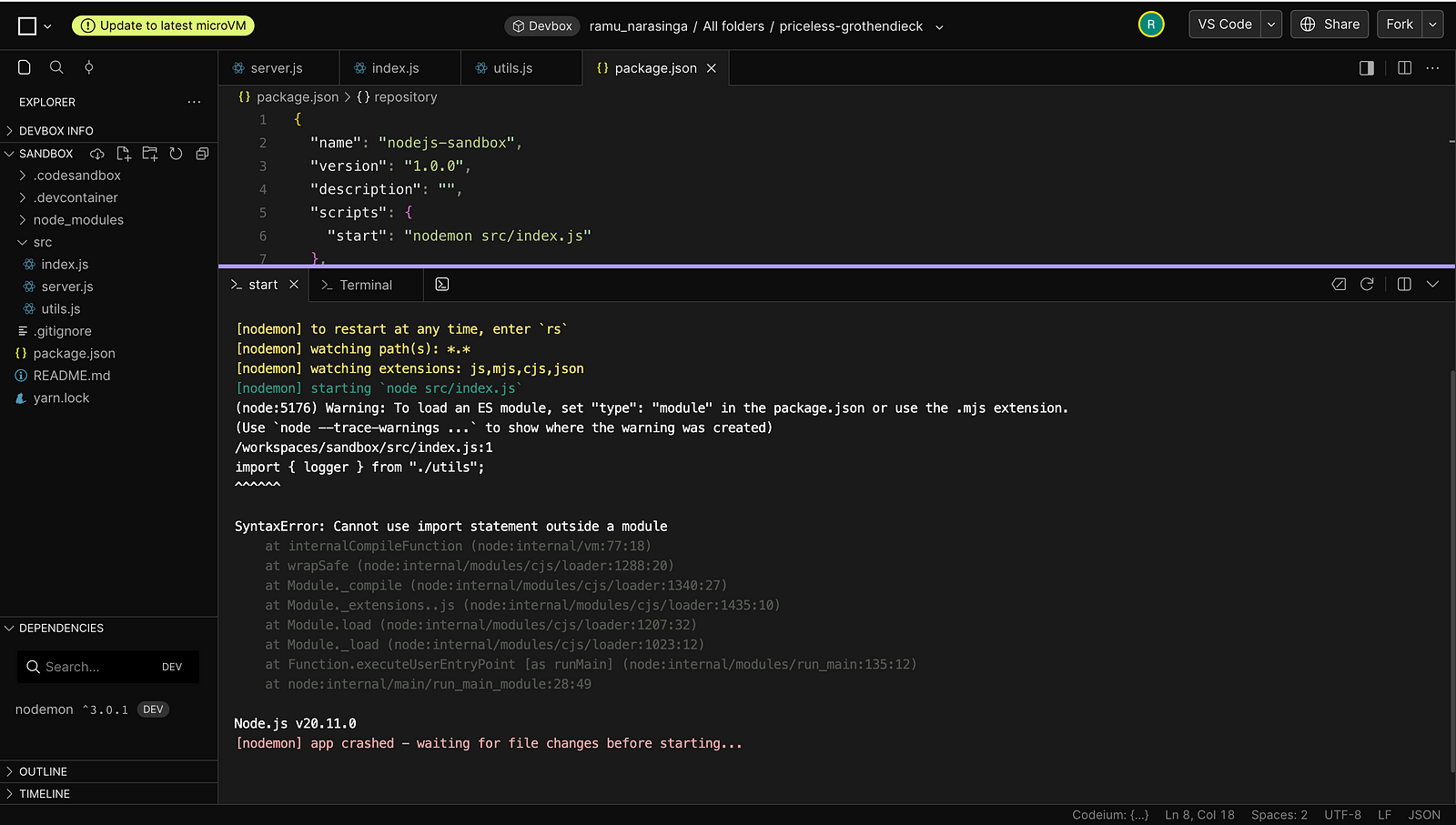
I tried to set up a simple nodejs project on codesandbox with import and require mixed up. Because it’s good, you usually don’t see imports done in the middle of a file.
It’s good. So good, it scratched that part of my mind. The part that doesn’t allow good to exist without a condition. — Elliot (Mr.)
(node:5176) Warning: To load an ES module, set "type": "module" in the package.json or use the .mjs extension.(Use `node --trace-warnings ...` to show where the warning was created)/workspaces/sandbox/src/index.js:1import { logger } from "./utils";^^^^^
Right, does adding “type”: “module” in package.json fix it?
I found that next main points to “./dist/server/next.js”. hmm, dist? right, this is where it occured to me that I should be looking for bundlers used and I found the webpack.config.js
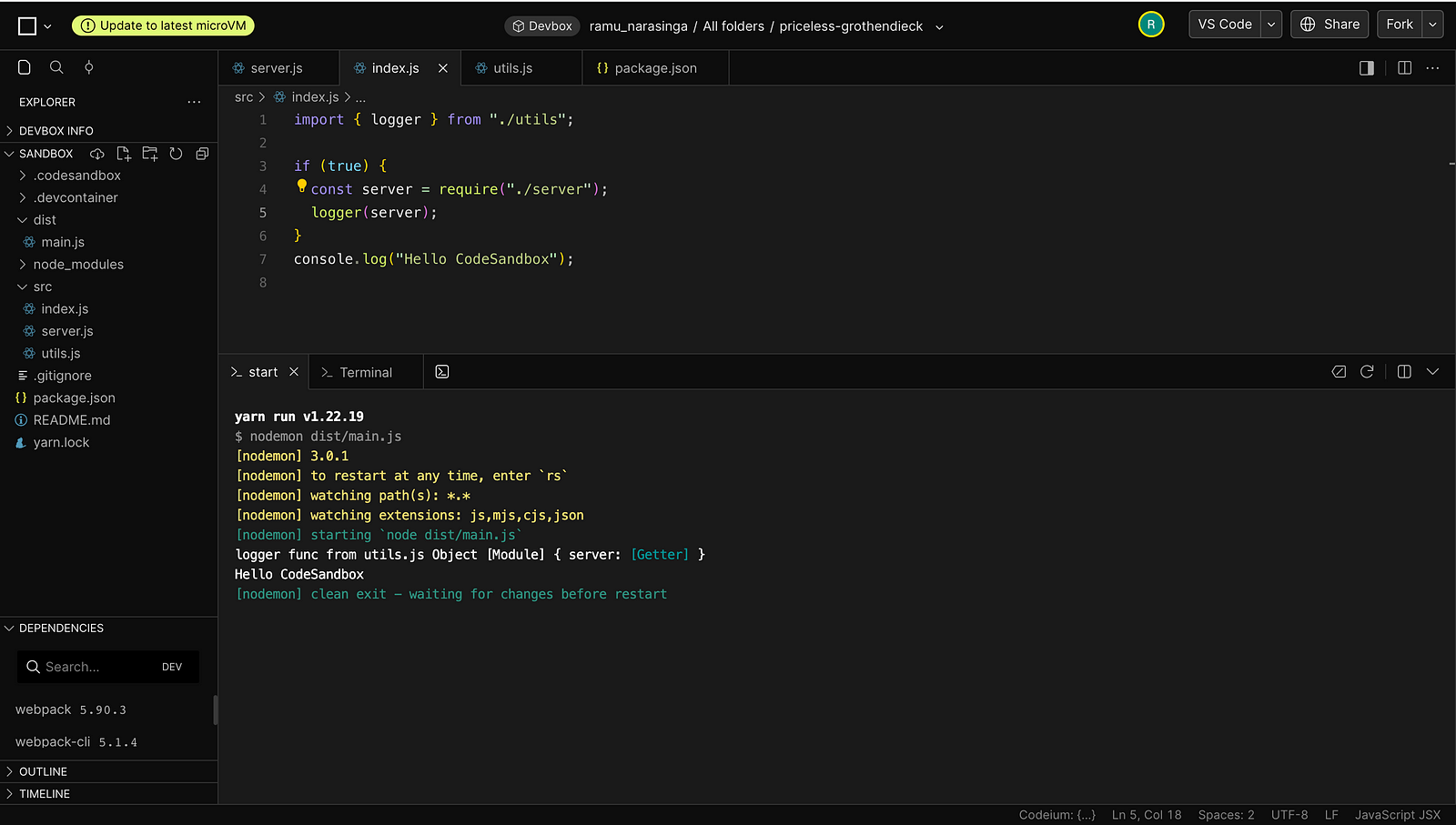
I immediately installed webpack and put my files inside src folder and did npx webpack and I have dist/main.js which I changed in my package.json
with that, I was able to compile and see my experimental logs appear.
Because I have never seen the usage of “require” and “import” in the same file, it was so good I had to set up a codesandbox to run these experiments and documented them in this article.
It was so good, it scratched that part of my mind. The part that connects the dots and finds answers.