
State management in Refly codebase - Part 1.1
Inspired by BulletProof React, I applied its codebase architecture concepts to the Refly codebase.
This article focuses only on the state management in Refly codebase.
Prerequisite
- State management in Refly codebase — Part 1.0
Approach
The approach we take is simple:
-
Pick a route, for example, https://refly.ai/workflow-list
-
Locate this route in Refly codebase.
-
Review how the state is managed.
-
We repeat this process for 3+ pages to establish a common pattern, see if there’s any exceptions.
In this part 1.1, you will learn about the marketplace route and see what library is used to manage state, here it is the list of templates. We will find out what libraries Refly uses, how the files are structured, how the data flows to manage its state.
I reviewed the workflow-list route. I found that the following component gives us a clear picture about state management.
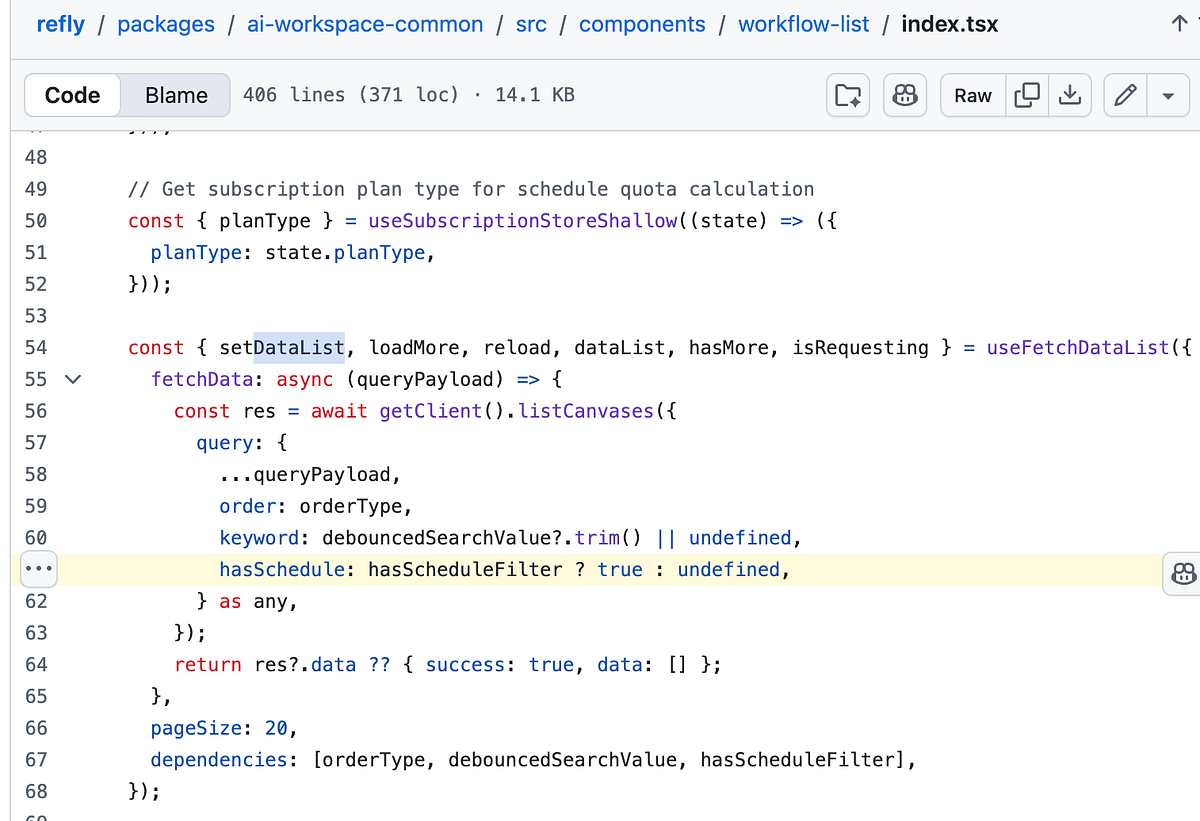
We will first review the code and then the underlying pattern. When you visit /workflow-list on Refly, you see list of workflows.

Our goal is to find out how this list of workflows is stored. Is there a component state or application state or server cache state? let’s see.
WorkflowListPage
You will find the following code in workflow-list/index.tsx.
import { memo, useEffect } from 'react';
import WorkflowList from '@refly-packages/ai-workspace-common/components/workflow-list';
import { logEvent } from '@refly/telemetry-web';
import { Helmet } from 'react-helmet';
import { useTranslation } from 'react-i18next';

const WorkflowListPage = memo(() => {
  const { t } = useTranslation();
  useEffect(() => {
    logEvent('enter_publish_page');
  }, []);

  return (
    <>
      <Helmet>
        <title>{t('loggedHomePage.siderMenu.canvas')}</title>
      </Helmet>
      <WorkflowList />
    </>
  );
});

WorkflowListPage.displayName = 'WorkflowListPage';

export default WorkflowListPage;
There is no data fetched here, this is just a wrapper around the the WorkflowList component.
WorkflowList
You will find the following code in workflow-list/index.tsx.
import {
  useFetchDataList
} from '@refly-packages/ai-workspace-common/hooks/use-fetch-data-list';
...
const WorkflowList = memo(() => {
  const { t, i18n } = useTranslation();
  const navigate = useNavigate();
  ...
  const {
    setDataList,
    loadMore,
    reload,
    dataList,
    hasMore,
    isRequesting
  } = useFetchDataList({
    fetchData: async (queryPayload) => {
      const res = await getClient().listCanvases({
        query: {
          ...queryPayload,
          order: orderType,
          keyword: debouncedSearchValue?.trim() || undefined,
          hasSchedule: hasScheduleFilter ? true : undefined,
        } as any,
      });
      return res?.data ?? { success: true, data: [] };
    },
    pageSize: 20,
    dependencies: [orderType, debouncedSearchValue, hasScheduleFilter],
  });
We will learn more about useFetchDataList in the API layer. dataList is a state variable managed in the useFetchDataList hook and is returned.
This dataList is used to render the workflows list as shown below in the render method:
{dataList.length > 0 ? (
  <div className="h-full flex flex-col px-4">
    <Table
      columns={columns}
      dataSource={dataList}
      rowKey="canvasId"
      pagination={false}
      scroll={{ y: 'calc(var(--screen-height) - 220px)' }}
      className="workflow-table flex-1"
      size="middle"
      onRow={(record: Canvas) => ({
        className:
          'cursor-pointer hover:!bg-refly-tertiary-hover transition-colors duration-200',

        onClick: () => {
          handleEdit(record);
        },
      })}
      style={{
        backgroundColor: 'transparent',
      }}
    />
...
Table is imported from antd
import { Empty, Typography, Button, Input, Avatar, Tag, Table, Space }
  from 'antd';
About me:
Hey, my name is Ramu Narasinga. Email: ramu.narasinga@gmail.com
Tired of AI-generated code that works but nobody understands?
I spent 3+ years studying OSS codebases and wrote 350+ articles on what makes them production-grade. I built an open source tool that reviews your PR against your existing codebase patterns.
Your codebase. Your patterns. Enforced.