2026February

Components structure in Twenty codebase — Part 1.1

Inspired by BulletProof React, I applied its codebase architecture concepts to the Twenty codebase.

This article focuses only on the components structure in Twenty codebase.

Prerequisite

  1. Components structure in Twenty codebase — Part 1.0

Approach

The approach we take is simple:

  1. Pick a route.

  2. Locate this route in Twenty codebase

  3. Review how the components are imported and organized.

  4. We repeat this process for 3–4 pages to establish a common pattern, see if there’s any exceptions.

In this part 1.1, we review the components structure in the Twenty’s onboarding feature. When you signup, Twenty has this onboarding asking for info such as your profile, trial period plan, inviting your team mates etc.,

I got curious about how the components behind this feature are organized and I looked at it’s source code.

Press enter or click to view image in full size

We will look at components structure in:

  1. ChooseYourPlan.tsx

  2. CreateWorkspace.tsx

  3. CreateProfile.tsx

ChooseYourPlan.tsx

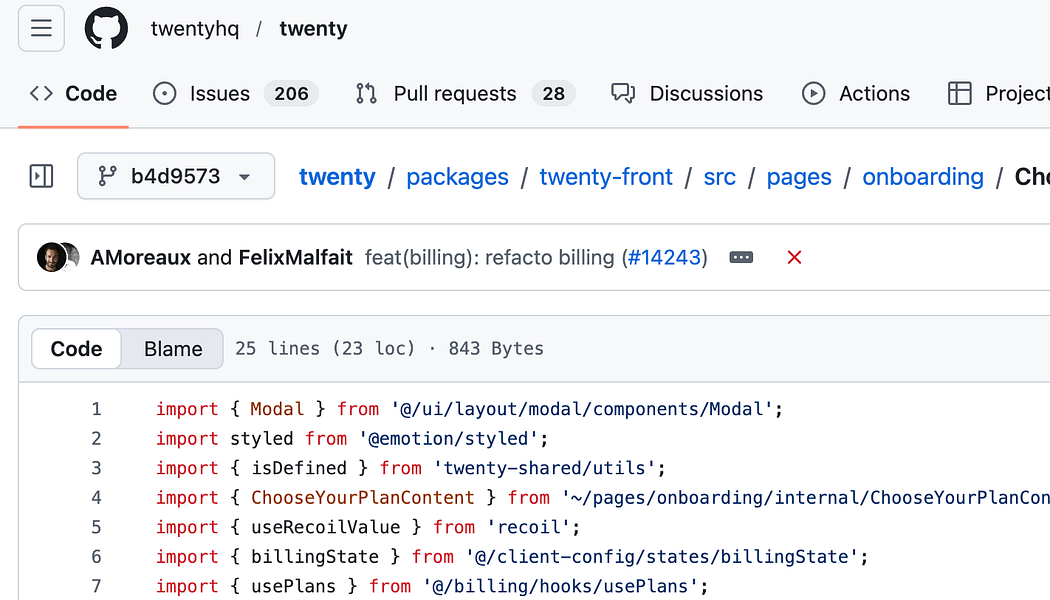
ChooseYourPlan.tsx is defined as shown below:

import { Modal } from '@/ui/layout/modal/components/Modal';
import styled from '@emotion/styled';
import { isDefined } from 'twenty-shared/utils';
import { ChooseYourPlanContent } from '~/pages/onboarding/internal/ChooseYourPlanContent';
import { useRecoilValue } from 'recoil';
import { billingState } from '@/client-config/states/billingState';
import { usePlans } from '@/billing/hooks/usePlans';
 
const StyledChooseYourPlanPlaceholder = styled.div`
  height: 566px;
`;
 
export const ChooseYourPlan = () => {
  const { isPlansLoaded } = usePlans();
  const billing = useRecoilValue(billingState);
  return (
    <Modal.Content isVerticalCentered>
      {isDefined(billing) && isPlansLoaded ? (
        <ChooseYourPlanContent billing={billing} />
      ) : (
        <StyledChooseYourPlanPlaceholder />
      )}
    </Modal.Content>
  );
};

So commonly used UI components are defined in the ui folder. ChooseYourPlanContent is imported from onboarding/internal.

CreateWorkspace.tsx

CreateWorkspace.tsx has about 245 LOC. I found the following imports for the components rendered inside this.

import { Modal } from '@/ui/layout/modal/components/Modal';
import { Logo } from '@/auth/components/Logo';
import { Title } from '@/auth/components/Title';
import { Trans, useLingui } from '@lingui/react/macro';
import { SubTitle } from '@/auth/components/SubTitle';
import { MainButton } from 'twenty-ui/input';

Most commonly used ones such as Logo, Title, Subtitle are imported from @/auth/components

MainButton is from input

So far, there is no specific pattern, components are imported depending on the need. The only thing that matters here is the colocation.

CreateProfile.tsx

CreateProfile.tsx has about 254 LOC. I found the following imports for the components rendered inside this.

import { Modal } from '@/ui/layout/modal/components/Modal';
import { SubTitle } from '@/auth/components/SubTitle';
import { Title } from '@/auth/components/Title';
import { 
  WorkspaceMemberPictureUploader 
} from '@/settings/workspace-member/components/WorkspaceMemberPictureUploader';
import { TextInput } from '@/ui/input/components/TextInput';
import { MainButton } from 'twenty-ui/input';

Again, Title, SubTitle and Modal are commonly reused. The imports between CreateWorkspace and CreateProfile look similar.

I did mention the term, “colocation”. WorkspaceMemberPictureUploader is technically part of settings but it is reused in this CreateProfile. You colocate components, but import them as you see fit.

About me:

Hey, my name is Ramu Narasinga. I study codebase architecture in large open-source projects.

Email: ramu.narasinga@gmail.com

I spent 200+ hours analyzing Supabase, shadcn/ui, LobeChat. Found the patterns that separate AI slop from production code. Stop refactoring AI slop. Start with proven patterns. Check out production-grade projects at thinkthroo.com

References:

  1. twentyhq/twenty/…/onboarding/ChooseYourPlan.tsx

  2. twentyhq/twenty/…onboarding/CreateWorkspace.tsx

  3. twentyhq/twenty/…/onboarding/CreateProfile.tsx