Invite-Only Early Access — Think Throo GitHub App is currently invite-only. Request access here.
2026March

What is GritQL?

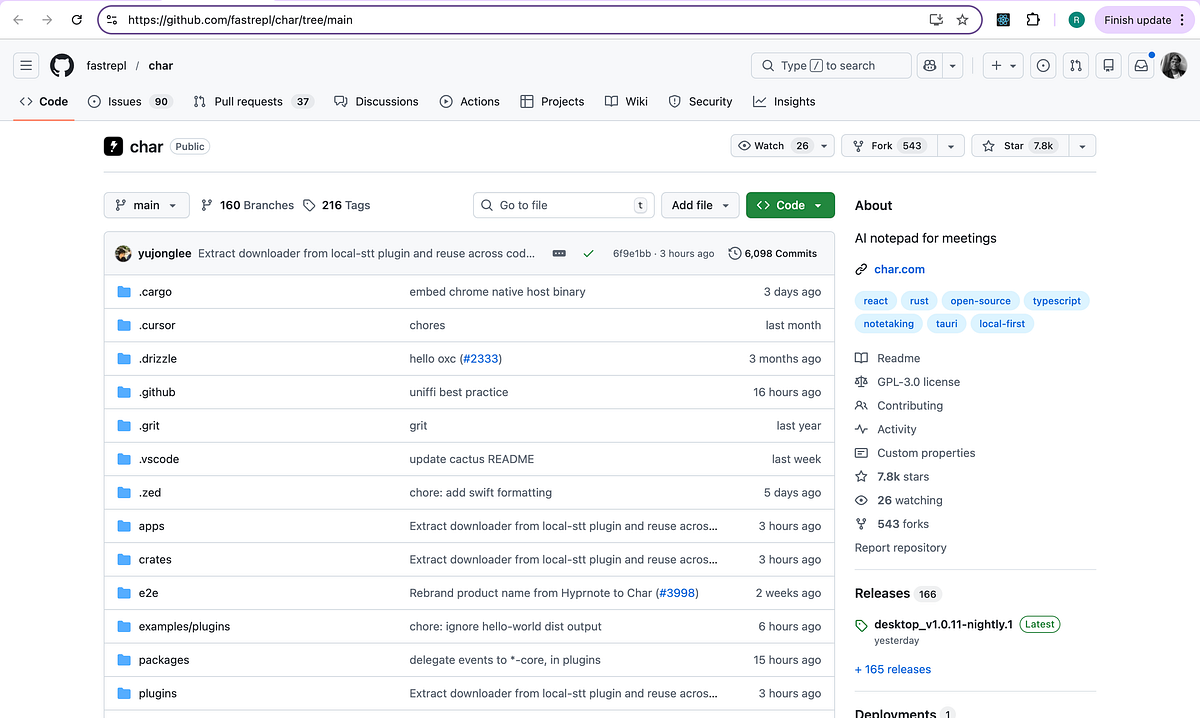
In this article, we review GritQL. I found grit.yaml in the char codebase. You will learn the following:

  1. What is GritQL?

  2. What is Char?

  3. Grit usage in Char codebase.

What is GritQL?

GritQL is a declarative query language for searching and modifying source code.

Why GritQL?

  • 📖 Start simply without learning AST details: any code snippet is a valid GritQL query

  • ⚡️ Scale to millions of lines using Rust and query optimization for repositories with 10M+ lines

  • 📦 Reuse patterns with Grit’s built-in module system to access 200+ standard patterns or share your own

  • ♻️ Works everywhere: use GritQL to rewrite JavaScript/TypeScript, Python, JSON, Java, Terraform, Solidity, CSS, Markdown, YAML, Rust, Go, or SQL

  • 🔧 Auto-fix built in: GritQL makes it easy to include auto-fix rules for faster remediation

Examples

Search for patterns using backticks and metavariables (like $msg):

grit apply '`console.log($msg)` => `winston.log($msg)`'

Save patterns to enforce as custom lints, with powerful where clauses to exclude specific cases:

`console.log($msg)` => `winston.log($msg)` where {
  $msg <: not within or { `it($_, $_)`, `test($_, $_)` }
}

Learn more about Grit.io.

What is Char?

Char is an AI notetaking app specifically designed to take meeting notes. With Char, you can transcribe all kinds of meetings whether it be online or offline.

  • Listens to your meetings so you can only jot down important stuff

  • No bots joining your meetings — Char listens directly to sounds coming in & out of your computer

  • Crafts perfect summaries based on your memos, right after the meeting is over

  • You can run Char completely offline by using LM Studio or Ollama

You can also use it for taking notes for lectures or organizing your thoughts.

Zero lock-in

Choose your preferred STT and LLM provider. Cloud or local.

You own your data

Plain markdown files on your device. Works with any tool.

Just works

A simple, familiar notepad, real-time transcription, and AI summaries.

Grit usage in Char codebase.

char/.grit/grit.yaml is defined as shown below:

version: 0.0.2
patterns:
  - name: compile_time_env_only
    level: warn
    body: |
      language rust

      `std::env::var($key)` => `env!($key)` where {
        $filename <: or {
          includes "src-tauri"
        }
      }
  - name: no_env_in_crate
    level: warn
    body: |
      language rust

      `std::env::var($key)` where {
        $filename <: and {
          includes "crates"
        }
      }

How it works

By default, CI checks run on all files in a commit which are not excluded by .gritignore. Grit then reports on patterns which have a level of warn or higher, and fails the CI check if any files trigger an error level pattern which did not previously trigger that pattern on the last commit to the repo's default branch.

This means that Grit’s CI mechanism is sensitive to the trend of the codebase: you can add currently failing patterns to your configuration without breaking the build, and fix them incrementally in the knowledge that Grit will catch regressions.

About me:

Hey, my name is Ramu Narasinga. Email: ramu.narasinga@gmail.com

Tired of AI-generated code that works but nobody understands? 

I spent 3+ years studying OSS codebases and wrote 350+ articles on what makes them production-grade. I built an open source tool that reviews your PR against your existing codebase patterns.

Your codebase. Your patterns. Enforced. 

Get started for free —thinkthroo.com

References:

  1. char.com

  2. github.com/fastrepl/char

  3. docs.grit.io/

  4. fastrepl/char/blob/main/.grit/grit.yaml