
Claude Code UI to track your sessions.
In this article, we review a tool I found on Github, claude-code-ui. We will look at:
-
What is Claude Code?
-
What is Claude Code UI?
-
Claude Code UI Architecture
Press enter or click to view image in full size
What is Claude Code?
Work with Claude directly in your codebase. Build, debug, and ship from your terminal, IDE, Slack, or the web. Describe what you need, and Claude handles the rest.
curl -fsSL https://claude.ai/install.sh | bash
Run the above the command to install the Claude.
Claude code can be used in terminal, IDE, Web and Slack
Check out the claude-code for more info.
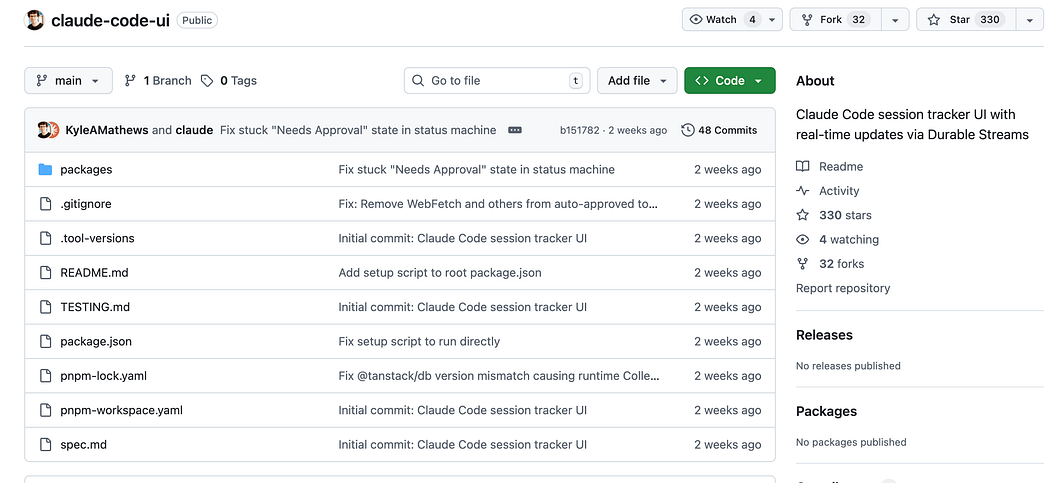
What is Claude Code UI?
A real-time dashboard for monitoring Claude Code sessions across multiple projects. See what Claude is working on, which sessions need approval, and track PR/CI status.
In the claude-code-ui README, the demo shows the CLI sessions status on a localhost UI. Meaning this is applicable to your terminal sessions, when you are using Claude via terminal.
Features
-
Real-time updates via Durable Streams
-
Kanban board showing sessions by status (Working, Needs Approval, Waiting, Idle)
-
AI-powered summaries of session activity using Claude Sonnet
-
PR & CI tracking — see associated PRs and their CI status
-
Multi-repo support — sessions grouped by GitHub repository
This project has some interesting dependencies, that I would be exploring further in the next articles:
-
@durable-streams/* — Real-time state synchronization
-
@tanstack/db — Reactive database for UI
-
xstate — State machine for status detection
-
chokidar — File system watching
-
@radix-ui/themes — UI components
Claude Code UI Architecture
┌─────────────────┐     ┌─────────────────┐     ┌─────────────────┐
│  Claude Code    │     │     Daemon      │     │       UI        │
│   Sessions      │────▶│   (Watcher)     │────▶│   (React)       │
│  ~/.claude/     │     │                 │     │                 │
│   projects/     │     │  Durable Stream │     │  TanStack DB    │
└─────────────────┘     └─────────────────┘     └─────────────────┘
Daemon (packages/daemon)
Watches ~/.claude/projects/ for session log changes and:
-
Parses JSONL log files incrementally
-
Derives session status using XState state machine
-
Generates AI summaries via Claude Sonnet API
-
Detects git branches and polls for PR/CI status
-
Publishes state updates to Durable Streams
UI (packages/ui)
React app using TanStack Router and Radix UI:
-
Subscribes to Durable Streams for real-time updates
-
Groups sessions by GitHub repository
-
Shows session cards with goal, summary, branch/PR info
-
Hover cards with recent output preview
I copied this above architecture from the claude-code-ui Readme.
About me:
Hey, my name is Ramu Narasinga. Email: ramu.narasinga@gmail.com
Tired of AI-generated code that works but nobody understands?
I spent 3+ years studying OSS codebases and wrote 350+ articles on what makes them production-grade. I built an open source tool that reviews your PR against your existing codebase patterns.
Your codebase. Your patterns. Enforced.