
gitrelease.mjs file in Nango codebase.
In this article, we review gitrelease.mjs file in Nango codebase. You will learn:
-
gitrelease.mjs file
-
publish workflow
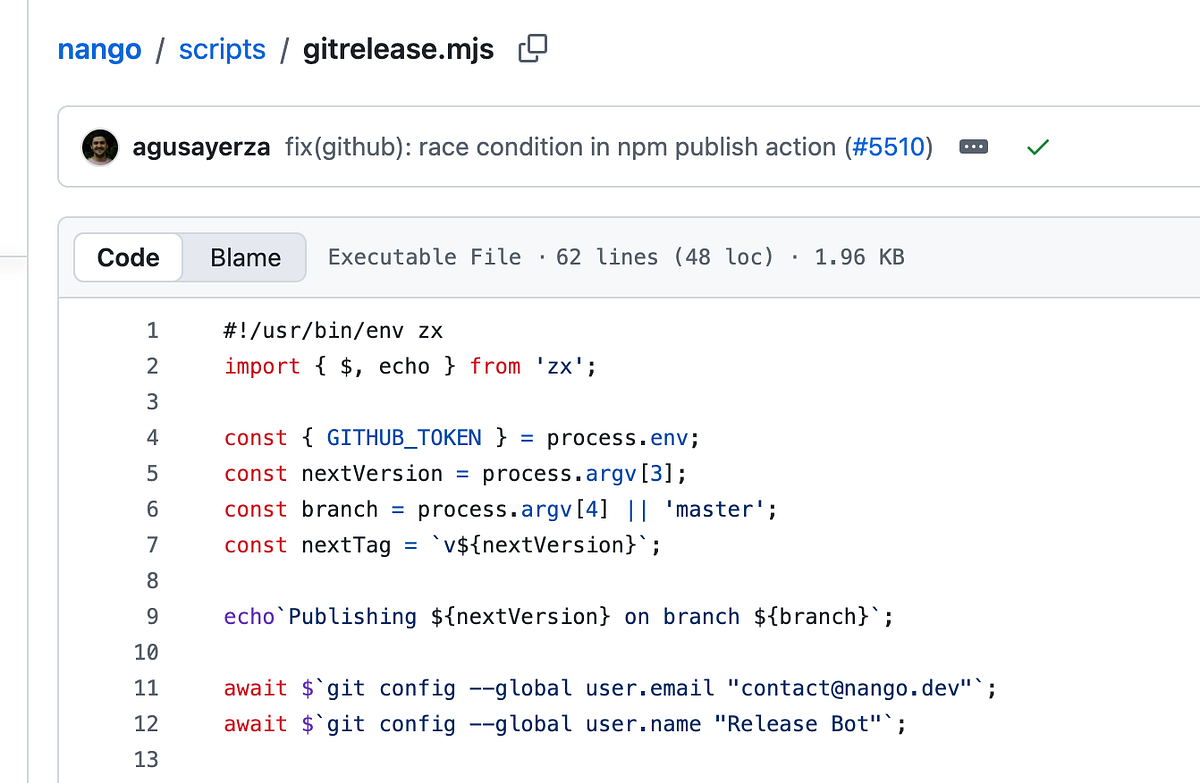
gitrelease.mjs file
gitrelease.mjs. is defined in the scripts folder and is defined as shown below:
#!/usr/bin/env zx
import { $, echo } from 'zx';

const { GITHUB_TOKEN } = process.env;
const nextVersion = process.argv[3];
const branch = process.argv[4] || 'master';
const nextTag = `v${nextVersion}`;

echo`Publishing ${nextVersion} on branch ${branch}`;

await $`git config --global user.email "contact@nango.dev"`;
await $`git config --global user.name "Release Bot"`;

const tagExists = await $`git tag -l ${nextTag}`;
if (tagExists.stdout !== '') {
    echo`Tag ${nextTag} already exists`;
    process.exit(1);
}

const releaseMessage = `chore(release): ${nextVersion}`;

echo`Checkout out branch`;
await $`git fetch origin ${branch}`;
await $`git switch ${branch}`;

echo`Generating changelog`;
await $`npx git-cliff -o CHANGELOG.md -t ${nextTag}`;

echo`Adding file`;
await $`git add -A package.json package-lock.json packages/**/package.json CHANGELOG.md packages/**/lib/version.ts`;

echo`Creating commit`;
await $`git commit --allow-empty --author="Release Bot <contact@nango.dev>" -m ${releaseMessage} `;

echo`Creating tag`;
await $`git tag -a ${nextTag} HEAD -m ${releaseMessage}`;

echo`Pushing`;
// Rebase on latest to handle commits that landed on ${branch} during publish
await $`git fetch origin ${branch}`;
await $`git rebase origin/${branch}`;
// Push branch and tag separately - tag intentionally points to the pre-rebase commit
await $`git push origin HEAD:refs/heads/${branch}`;
await $`git push origin ${nextTag}`;

echo`Commit pushed, publishing release...`;
// Push GitHub release
const releaseNotes = await $`npx git-cliff --latest --strip header footer`;
const releaseData = JSON.stringify({
    name: nextTag,
    tag_name: nextTag,
    body: releaseNotes.stdout
});

try {
    await $`curl --silent --fail --show-error -H "Authorization: Bearer ${GITHUB_TOKEN}" -H "Accept: application/vnd.github.v3+json" https://api.github.com/repos/NangoHQ/nango/releases -d ${releaseData}`;
} catch (err) {
    console.log(err, releaseData);
    process.exit(1);
}

echo`✅ Done`;
You can follow the echo statements to understand what is happening in the code:
-
Check out branch
-
Generating changelog
-
Adding file
-
Creating commit
-
Creating tag
-
Pushing
-
Commit pushed, publishing release.
I wrote a separate article about what git-cliff is.
publish workflow
It is a common practice to define scripts and run them in the GitHub workflows. nango/.github/workflows/publish.yaml is defined as below:
name: '[Release] NPM publish'
run-name: '[Release] NPM publish ${{ inputs.version }}'

on:
    workflow_dispatch:
        inputs:
            version:
                type: string
                description: 'Version to publish'
                required: true
                default: '0.0.0'

permissions:
    contents: write
    id-token: write

jobs:
    npm-publish:
        if: github.ref == 'refs/heads/master'
        runs-on: ubuntu-latest
        steps:
            - uses: actions/create-github-app-token@v2
              id: create_github_app_token
              with:
                  app-id: ${{ secrets.GH_APP_PUSHER_ID }}
                  private-key: ${{ secrets.GH_APP_PUSHER_PRIVATE_KEY }}

            - uses: actions/checkout@v4
              with:
                  token: ${{ steps.create_github_app_token.outputs.token }}
                  fetch-depth: 0

            - uses: actions/setup-node@v4
              with:
                  cache: 'npm'
                  node-version-file: '.nvmrc'
                  registry-url: 'https://registry.npmjs.org'

            - name: Update npm to latest
              run: npm install -g npm@11.5.1

            - name: Install dependencies
              run: npm ci

            - name: Publish npm packages
              shell: bash
              run: |
                  npx zx ./scripts/publish.mjs --version="${{ inputs.version }}"

            - name: Publish release
              env:
                  GITHUB_TOKEN: ${{ steps.create_github_app_token.outputs.token }}
              run: |
                  npx zx ./scripts/gitrelease.mjs "${{ inputs.version }}" "${{ github.head_ref || github.ref_name }}"
In the run: section, you will see that this script is invoked using the command:
npx zx ./scripts/gitrelease.mjs "${{ inputs.version }}" "${{ github.head_ref || github.ref_name }}"
About me:
Hey, my name is ramunarasinga. Email: ramunarasinga@gmail.com
Tired of AI slop?
I spent 3+ years studying OSS codebases and wrote 350+ articles on what makes them production-grade. I built
-
Codebase architecture skills, inspired by best OSS projects.