
How does file upload work in Immich codebase - Part 1.
In this article, we review file upload mechanism in Immich codebase. We will look at:
-
What is Immich?
-
Locating the Upload button
-
openFileUploadDialog function
-
fileUploadHandler function
In this part 1, let’s focus 1–3 and in the part 2, we will review the fileUploadHandler at great detail.
What is Immich?
Immich is a self-hosted photo and video management solution. Easily back up, organize, and manage your photos on your own server. Immich helps you browse, search and organize your photos and videos with ease, without sacrificing your privacy.
Check out immich.app

Locating the Upload button
In a new codebase, you don’t know where to look for. In the demo — https://demo.immich.app/photos, there is the “Upload” button.

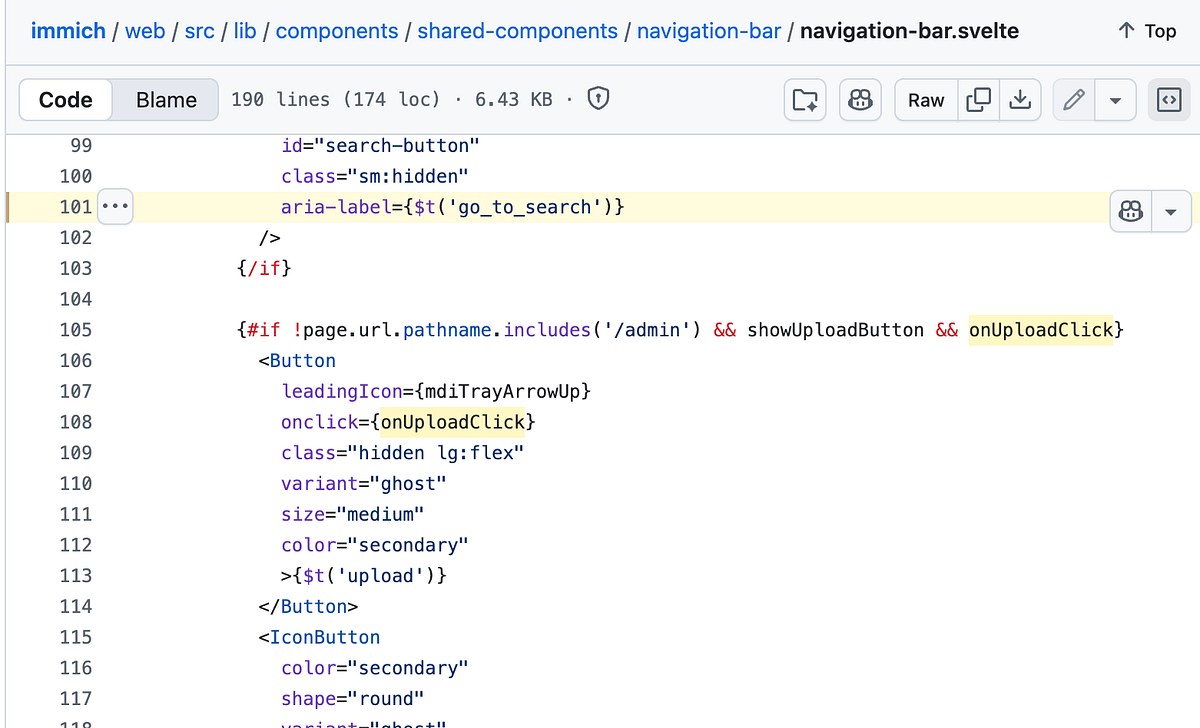
Searching for the Upload, gave me 200+ hits on Github in this repository. I narrowed down svelte files. Yeah, this is when I realised Immich uses Sevlte for its frontend and finally was able to locate the Upload button in the file, navigation-bar.svelte.
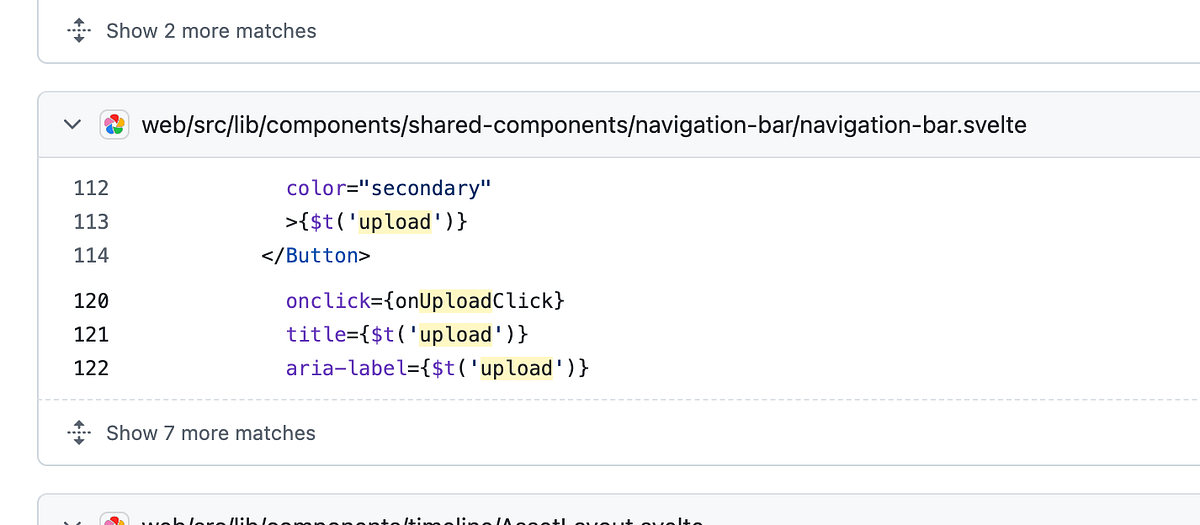
You will find the below code in navigation-bar.ts at L108.
{#if !page.url.pathname.includes('/admin') && showUploadButton && onUploadClick}
  <Button
    leadingIcon={mdiTrayArrowUp}
    onclick={onUploadClick}
    class="hidden lg:flex"
    variant="ghost"
    size="medium"
    color="secondary"
    >{$t('upload')}
  </Button>
onUploadClick is a prop passed down from user-page-layout.svelte as shown below:
<header>
  {#if !hideNavbar}
    <NavigationBar
      {showUploadButton}
      onUploadClick={() => openFileUploadDialog()}
    />
  {/if}
openFileUploadDialog function
In lib/utils/file-uploader.ts, you will find the following code:
export const openFileUploadDialog = async (options: FileUploadParam = {}) => {
  const { albumId, multiple = true } = options;
  const extensions = uploadManager.getExtensions();

  return new Promise<string[]>((resolve, reject) => {
    try {
      const fileSelector = document.createElement('input');

      fileSelector.type = 'file';
      fileSelector.multiple = multiple;
      fileSelector.accept = extensions.join(',');
      fileSelector.addEventListener(
        'change',
        (e: Event) => {
          const target = e.target as HTMLInputElement;
          if (!target.files) {
            return;
          }
          const files = Array.from(target.files);

          resolve(fileUploadHandler({ files, albumId }));
        },
        { passive: true },
      );

      fileSelector.click();
    } catch (error) {
      console.log('Error selecting file', error);
      reject(error);
    }
  });
};
This function returns a promise and this promise resolves with a value returned by the function, fileUploadhandler. We are reviewing this in the part-2.
I would be interested in learning what uploadManager.getExtenstions function call returns or what uploadManager is about for that matter.
uploadManager
There isn’t much going on in the uploadManager, you will find the following code:
import { eventManager } from '$lib/managers/event-manager.svelte';
import { uploadAssetsStore } from '$lib/stores/upload';
import { getSupportedMediaTypes, type ServerMediaTypesResponseDto } from '@immich/sdk';

class UploadManager {
  mediaTypes = $state<ServerMediaTypesResponseDto>({ image: [], sidecar: [], video: [] });

  constructor() {
    eventManager.on('AppInit', () => void this.#loadExtensions()).on('AuthLogout', () => void this.reset());
  }

  reset() {
    uploadAssetsStore.reset();
  }

  async #loadExtensions() {
    try {
      this.mediaTypes = await getSupportedMediaTypes();
    } catch {
      console.error('Failed to load supported media types');
    }
  }

  getExtensions() {
    return [...this.mediaTypes.image, ...this.mediaTypes.video];
  }
}

export const uploadManager = new UploadManager();
getExtentions returns an array of values returned by the function, getSupportedMediaTypes.
About me:
Hey, my name is Ramu Narasinga. Email: ramu.narasinga@gmail.com
Tired of AI-generated code that works but nobody understands?
I spent 3+ years studying OSS codebases and wrote 350+ articles on what makes them production-grade. I built an open source tool that reviews your PR against your existing codebase patterns.
Your codebase. Your patterns. Enforced.
References:
-
search?q=repo%3Aimmich-app%2Fimmich+Go+to+search+language%3ASvelte&type=code&l=Svelte
-
immich/web/src/lib/components/shared-components/navigation-bar/navigation-bar.svelte#L101
-
search?q=repo%3Aimmich-app%2Fimmich+++navigation-bar&type=code
-
immich/blob/web/src/lib/components/layouts/user-page-layout.svelte#L7